Exporting GeoJSON and Geopackage from ArcGIS Pro
A common question students ask GIS librarians is “How do I get my data out of ArcGIS Pro or share it with someone not using this software?”
You may notice that when using ArcGIS dialog boxes, you are prompted to save files by default in your project’s file geodatabase.
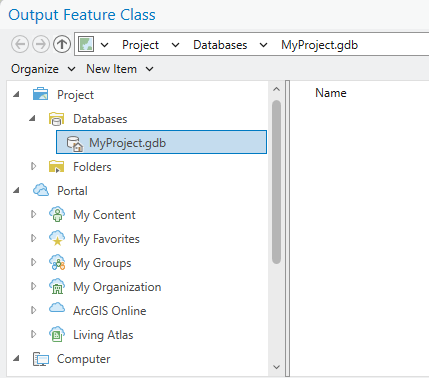
It is okay to use the file .gdb temporarily while working on your project. Keep in mind the suggestion to periodically archive any important files using legible, open data formats such as geopackage or geojson.
Save as GeoJSON
Use the Features to JSON geoprocessing tool to save as GeoJSON.
Save as GeoPackage
Insert tab→Add Folder→ Create a normal, non-file-gdb folder on your computer to organize your geospatial data. Select this new folder as the folder you’d like to add as the folder connection in the ArcGIS ProAdd Folderinterface.Catalog pane→ Right click the folder you created to manage your geospatial data →New→Geopackage.- Rename the new geopackage the name of the layer you want to save, e.g.
example_coordinates.gpkg. - Use
Feature Class to Geodatabasetool to export your layer:
Input Features= the layer you want to copyOutput Geodatabase= the empty.gpkgyou just created.
Follow-up resources
- Use the Harvard Library GIS Data Management online guides for guidance on your project data.
- Set yourself up for success by booking a 45 minute instruction session with a GIS librarian to ensure your project structure and data practices are top notch.